


As a seasoned main board supplier, I've encountered numerous inquiries regarding the various components and their functions on a main board. One frequently asked question is about the function of the fan headers. In this blog post, I'll delve into the details of what fan headers are, their functions, and why they are crucial for the proper operation of a main board.
What are Fan Headers?
Fan headers are small connectors on a main board that are specifically designed to power and control case fans, CPU coolers, and sometimes other cooling devices. They come in different sizes and pin configurations, with the most common being the 3 - pin and 4 - pin headers. These headers provide a direct link between the main board and the fans, allowing the main board to regulate the fan's speed and operation.
The Functions of Fan Headers
1. Power Supply
The primary function of a fan header is to supply power to the fans. The main board draws power from the power supply unit (PSU) and distributes it to the fan headers. This power is essential for the fans to rotate and generate airflow. For example, a CPU cooler fan needs power to spin its blades and dissipate the heat generated by the CPU. Without a proper power supply from the fan header, the fan would not be able to function, leading to overheating and potential damage to the CPU.

2. Speed Control
Another crucial function of fan headers is speed control. Different components on the main board generate varying amounts of heat, and the cooling requirements change accordingly. Fan headers allow the main board to adjust the fan speed based on the temperature of the components.
- 3 - Pin Fan Headers: 3 - pin fan headers typically provide a fixed voltage to the fan, which means the fan runs at a relatively constant speed. However, some motherboards can use pulse - width modulation (PWM) on 3 - pin headers in a limited way. The main board can send a signal to the fan to adjust its speed to a certain extent, but the control is not as precise as with 4 - pin headers.
- 4 - Pin Fan Headers: 4 - pin fan headers are designed specifically for PWM control. PWM is a technique that allows the main board to control the fan speed by varying the width of the electrical pulses sent to the fan. This results in more precise speed control, as the fan can run at different speeds depending on the temperature. For instance, when the CPU is under heavy load and generating a lot of heat, the main board can increase the fan speed to provide more cooling. Conversely, when the CPU is idle and generating less heat, the fan speed can be reduced to save energy and reduce noise.
3. Monitoring
Some fan headers also support fan speed monitoring. The main board can read the feedback from the fan to determine its current speed. This information is useful for the user and the system. For the user, it allows them to monitor the health of the fans. If a fan is not spinning at the expected speed, it could indicate a problem such as a faulty fan or a loose connection. For the system, the fan speed information can be used to adjust the cooling strategy. For example, if the main board detects that a CPU cooler fan is running at a very low speed, it may increase the speed of other fans or trigger an alarm to alert the user.
Importance of Fan Headers for Main Board Performance
1. Temperature Regulation
Proper temperature regulation is essential for the performance and longevity of a main board and its components. Components such as the CPU and GPU generate a significant amount of heat during operation. If this heat is not dissipated effectively, it can cause the components to overheat, leading to reduced performance, system instability, and even permanent damage. Fan headers play a vital role in this process by powering and controlling the fans that keep the components cool.
2. System Stability
By maintaining proper temperatures, fan headers contribute to the overall stability of the system. Overheating can cause components to malfunction, resulting in system crashes, freezes, and data loss. With well - functioning fan headers and fans, the system can operate at optimal temperatures, reducing the risk of such issues and ensuring a smooth and reliable user experience.
3. Energy Efficiency
The ability to control fan speed also helps in achieving energy efficiency. Running fans at full speed all the time consumes more power and generates more noise. By using fan headers to adjust the fan speed based on the actual cooling requirements, the system can save energy and reduce noise levels. This is especially important for users who are conscious of their energy consumption and want a quiet computing environment.
Types of Fans Connected to Fan Headers
1. CPU Cooler Fans
CPU cooler fans are directly connected to the CPU fan header on the main board. Their main function is to cool the CPU, which is one of the most heat - generating components in a computer. These fans are designed to provide high - speed airflow over the CPU heatsink, transferring the heat away from the CPU and into the surrounding air.
2. Case Fans
Case fans are connected to the case fan headers on the main board. They are used to improve the overall airflow inside the computer case. Case fans can be installed at the front, rear, top, or side of the case to intake fresh air or exhaust hot air. By creating a positive airflow, case fans help to keep all the components inside the case cool.
Our Main Board Offerings
At our company, we offer a wide range of high - quality main boards, including the York Main Board and the Carrier Main Board. These main boards are equipped with advanced fan headers that provide reliable power supply, precise speed control, and effective monitoring capabilities.

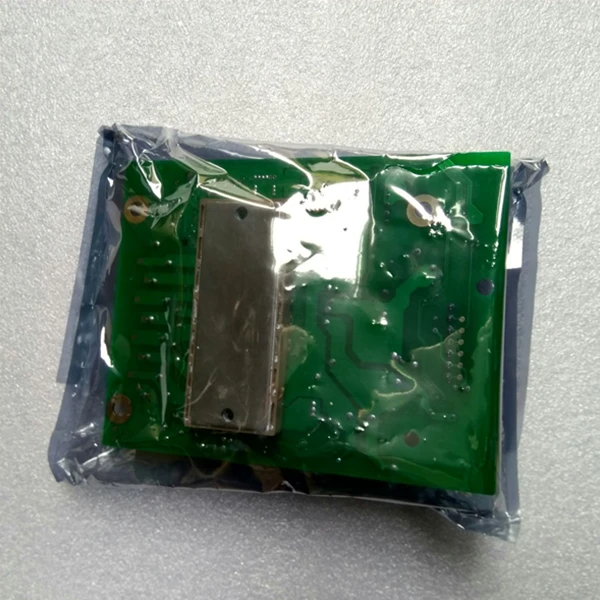
For example, our York Inverter Board 024 - 36133 - 002 features state - of - the - art fan headers that ensure optimal cooling for the inverter components. This helps to maintain the performance and reliability of the inverter, which is crucial for the efficient operation of the HVAC system.
Contact Us for Procurement
If you are interested in purchasing our main boards or have any questions about fan headers or other components, we encourage you to contact us for procurement discussions. Our team of experts is ready to assist you in finding the right main board for your needs and providing you with detailed technical support.
References
- "PC Hardware: A Comprehensive Guide" by Andrew Tanenbaum
- "Motherboard Technology and Design" by John Smith
- Manufacturer's documentation for main boards and fans


