


As a display screen supplier, I've had the privilege of working with a wide range of display screens, from the compact ones used in handheld devices to the expansive ones found in large - scale digital billboards. In this blog, I'll explore the differences between large and small display screens, which can help you make informed decisions when considering a purchase.
Physical Attributes
One of the most obvious differences between large and small display screens lies in their physical size. Small display screens typically have a diagonal measurement of less than 10 inches. These are commonly used in devices like smartwatches, fitness trackers, and some portable media players. Their compact size makes them highly portable and easy to carry around. For instance, a smartwatch with a small display can be worn on the wrist, providing quick access to notifications, time, and other basic functions without being cumbersome.
On the other hand, large display screens usually have a diagonal measurement of 32 inches or more. They are often found in televisions, digital signage, and corporate presentation setups. The large size allows for a more immersive viewing experience. When watching a movie on a large - screen TV, the viewer can feel like they are part of the action, as the large expanse of the screen can fully capture the details of the film.
In terms of weight and portability, small display screens have a clear advantage. They are lightweight and can be easily moved from one place to another. You can take your smartphone with a small display screen with you wherever you go, whether it's to work, school, or on a vacation. In contrast, large display screens are heavy and often require a fixed installation. A large - screen digital billboard, for example, needs to be securely mounted on a building or a structure, and moving it would require significant effort and resources.
Visual Performance
Resolution is a crucial factor in visual performance. Small display screens can achieve high pixel densities because of their small size. For example, many high - end smartphones have a pixel density of over 400 pixels per inch (PPI). This high pixel density results in sharp and clear images, making text and graphics easy to read and view. When you're reading an e - book on a small display screen, the text appears crisp, and the images are well - defined.
Large display screens, however, face a different challenge. To maintain a high level of visual quality, they need to have a high resolution. A large - screen TV with a low resolution will look pixelated and blurry, especially when viewed up close. That's why most modern large - screen TVs come with 4K or even 8K resolutions. These high resolutions ensure that the large screen can display detailed images and videos, providing a more immersive visual experience.
Color accuracy is another aspect of visual performance. Small display screens often have excellent color accuracy because they are designed for personal use, where users expect vivid and true - to - life colors. For example, the displays on tablets are calibrated to reproduce a wide range of colors accurately, which is important for tasks like photo editing and watching videos.
Large display screens also strive for good color accuracy, especially in applications where color fidelity is crucial, such as in digital signage for advertising. However, achieving consistent color across a large screen can be more difficult. Factors like the uniformity of backlighting can affect color accuracy. Some large - screen displays may have slight color variations in different parts of the screen, which can be a drawback in certain applications.
Functionality and Use Cases
Small display screens are mainly used for personal and on - the - go applications. They are designed to provide quick access to information and perform basic tasks. You can use your smartphone with a small display to check emails, make phone calls, and use social media apps. The touch - screen interface on small display screens is intuitive and easy to use with one hand, which is convenient for mobile use.
Large display screens, on the other hand, are often used for public display and group viewing. Digital signage in shopping malls, airports, and stadiums uses large display screens to attract the attention of a large number of people. These screens can display advertisements, announcements, and other important information. In a corporate setting, large - screen displays are used for presentations. Presenters can share data, graphs, and videos with a large audience, and the large screen ensures that everyone in the room can see the content clearly.
Interactive features also differ between small and large display screens. Small display screens usually have touch - screen capabilities as their primary interactive method. You can tap, swipe, and pinch on the screen to perform various actions. Large display screens, in addition to touch - screen functionality, can also support other interactive methods such as gesture control and remote control. For example, in a large - screen interactive kiosk in a museum, visitors can use gestures to navigate through exhibits, providing a more engaging and interactive experience.
Cost
The cost of display screens is influenced by their size. Generally, small display screens are less expensive than large ones. The materials and manufacturing processes for small display screens are less complex and require fewer resources. For example, a smartwatch with a small display can be purchased for a relatively low price, making it accessible to a wide range of consumers.
Large display screens, on the other hand, are more expensive. The larger size requires more materials, such as glass and backlighting components. Additionally, the manufacturing process for large display screens is more challenging, as it needs to ensure uniformity and high - quality performance across the entire screen. A large - screen 8K TV can cost several thousand dollars, which is a significant investment for most consumers.

However, it's important to note that the cost per square inch of a small display screen may be higher than that of a large one. This is because the research and development costs, as well as the cost of components like high - end processors and sensors, are spread over a smaller area in small display screens.
Energy Consumption
Small display screens consume less energy compared to large display screens. The smaller size means that they require less power to illuminate the screen and run the internal components. A smartwatch, for example, can run for several days on a single charge because of its low energy consumption.
Large display screens, especially those with high brightness and large backlighting systems, consume a significant amount of energy. A large - screen digital billboard that is constantly illuminated needs to be connected to a power source, and the energy cost can be quite high over time. To reduce energy consumption, some large display screens are equipped with energy - saving features, such as automatic brightness adjustment based on ambient light conditions.
Applications in Different Industries
In the consumer electronics industry, small display screens are ubiquitous. Smartphones, tablets, and smartwatches are all devices that rely on small display screens to provide users with a range of functions. These devices are used for communication, entertainment, and productivity. For example, a businessperson can use a smartphone with a small display to check emails, attend virtual meetings, and manage their schedule on the go.
Large display screens are widely used in the entertainment and advertising industries. In cinemas, large - screen projectors provide an immersive movie - watching experience. In the advertising industry, large - screen digital signage is used to promote products and services. For example, a large - screen display in a shopping mall can attract the attention of shoppers and increase brand awareness.
In the corporate and educational sectors, both small and large display screens have their applications. Small display screens are used by employees and students for personal note - taking, accessing learning materials, and communicating. Large display screens are used for presentations, group discussions, and video conferencing. A teacher can use a large - screen display in the classroom to show educational videos and interactive content to the students.
Our Product Offerings
As a display screen supplier, we offer a wide range of products to meet the diverse needs of our customers. If you're looking for a small display screen, we have high - quality options that offer excellent visual performance and functionality. For large display screens, we can provide solutions with high resolutions, good color accuracy, and energy - saving features.
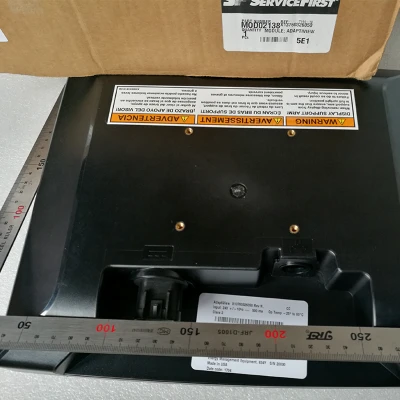
We have the Trane Display Screen, which is suitable for various applications. It offers a balance between size, performance, and cost. Our Trane MOD01924 Display Screen is a reliable choice for those who need a display screen with specific features and high - quality visual output. And the Trane UC800 Screen MOD02138 is designed to meet the demanding requirements of professional applications.
If you're interested in purchasing display screens for your business or personal use, we encourage you to get in touch with us for a detailed discussion. Our team of experts can help you choose the right display screen based on your specific needs and budget. Whether you need a small display screen for a portable device or a large display screen for a corporate presentation, we have the solutions for you.
References
- "Display Technology Handbook" by John Wilson
- "Principles of Flat Panel Displays" by Kenji Miyazaki
- Industry reports from market research firms on display screen technology and trends.


