


In the ever - evolving landscape of technology, touch - based interactions have become ubiquitous. Two terms that often come up in this context are "touch screen" and "touch - based interface." As a touch screen supplier, I've witnessed firsthand the confusion that exists between these two concepts. In this blog post, I'll delve into the differences between a touch screen and a touch - based interface, explore their unique features, and explain how they are relevant in today's market.
Defining Touch Screen
A touch screen is a physical device that combines a display and a touch sensor. It allows users to interact directly with the content on the screen by using their fingers or a stylus. The touch sensor detects the position of the touch and sends that information to the device's operating system, which then interprets the input and performs the corresponding action.
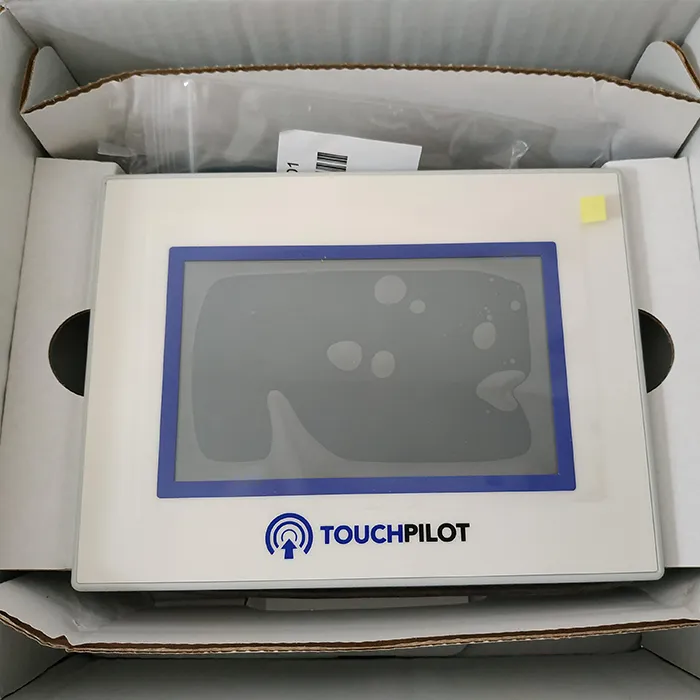
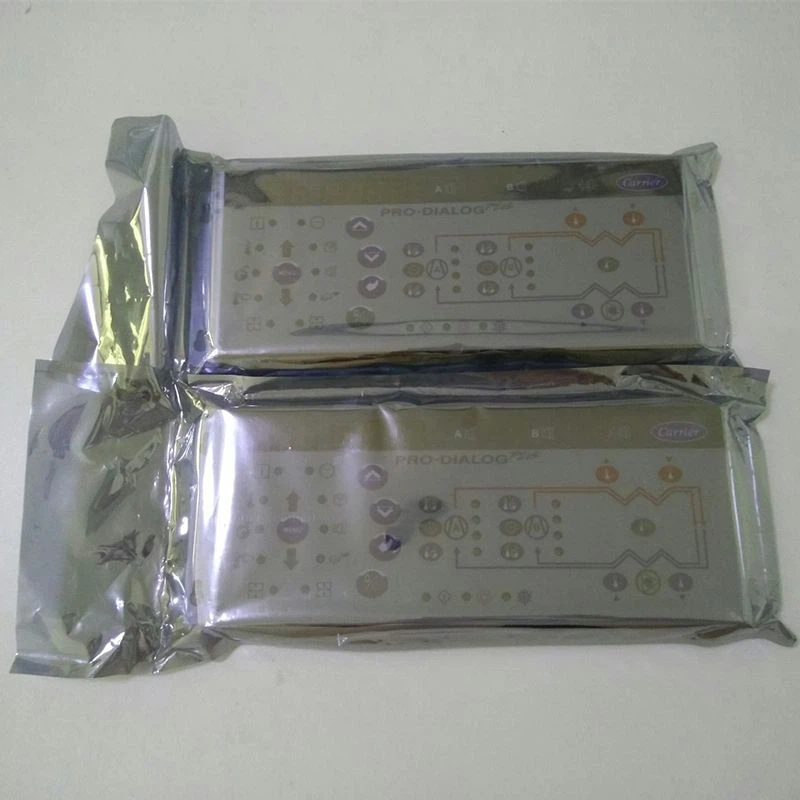
There are several types of touch screen technologies available in the market, each with its own advantages and disadvantages. Resistive touch screens, for example, consist of two flexible layers separated by a small gap. When pressure is applied to the screen, the two layers come into contact, creating an electrical connection that is detected by the sensor. These touch screens are relatively inexpensive and can be operated with a finger or any other object, but they may have lower clarity and are less durable compared to other types.
Capacitive touch screens, on the other hand, use the electrical properties of the human body to detect touch. They have a layer of conductive material on the surface of the screen. When a finger touches the screen, it disrupts the electrostatic field, and the sensor detects the change in capacitance. Capacitive touch screens offer better clarity, faster response times, and are more durable than resistive touch screens. However, they typically require the use of a finger or a special conductive stylus.
As a touch screen supplier, we offer a wide range of touch screens to meet different customer needs. For instance, the Carrier TCarrier Touch Screen Oopsg001652200A is a high - quality product that utilizes advanced touch screen technology to provide a smooth and responsive user experience.
Understanding Touch - Based Interface
A touch - based interface, on the other hand, is a broader concept that refers to the way users interact with a system using touch gestures. It encompasses the design, layout, and functionality of the user interface elements that are accessible through touch. A touch - based interface can be implemented on various devices, including touch screens, but it can also be used in non - touch - screen scenarios, such as in virtual reality or augmented reality environments where users interact with virtual objects using touch - like gestures.
The key to a successful touch - based interface lies in its usability and intuitiveness. Good touch - based interfaces are designed to be easy to navigate, with large and clearly defined buttons and icons. They also support a variety of touch gestures, such as tapping, swiping, pinching, and zooming, which allow users to perform complex actions with minimal effort.
For example, a mobile app with a touch - based interface might use a combination of tapping to select items, swiping to scroll through lists, and pinching to zoom in and out of maps or images. The interface is designed to take advantage of the natural way humans interact with objects in the real world, making it more intuitive and user - friendly.
Key Differences
One of the main differences between a touch screen and a touch - based interface is that a touch screen is a hardware component, while a touch - based interface is a software - related concept. The touch screen is the physical medium through which the touch input is detected, while the touch - based interface is the set of rules and visual elements that determine how the user can interact with the system.
Another difference is in their scope. A touch screen is limited to the physical device on which it is installed. In contrast, a touch - based interface can be implemented across multiple devices and platforms. For example, a company might develop a touch - based interface for its mobile app, which can be used on different smartphones and tablets regardless of the specific touch screen technology they use.
In terms of development, the focus for touch screens is on the hardware design, manufacturing, and integration. Suppliers like us need to ensure that the touch screens are of high quality, have accurate touch detection, and are compatible with different devices. For touch - based interfaces, the emphasis is on user experience design, software development, and testing. Designers need to create interfaces that are easy to use, visually appealing, and responsive to user input.
Importance in the Market
Both touch screens and touch - based interfaces play crucial roles in today's market. Touch screens have become a standard feature in many devices, from smartphones and tablets to industrial control panels and kiosks. They offer a more direct and intuitive way of interacting with technology, which has led to increased user adoption and satisfaction.
For example, in the consumer electronics market, touch screens have revolutionized the way people use their devices. Smartphones with large touch screens have replaced traditional feature phones, and tablets have become popular for entertainment, productivity, and education. In the industrial sector, touch screens are used in control panels to monitor and operate machinery, improving efficiency and reducing the need for complex control systems.
Touch - based interfaces, on the other hand, are essential for creating engaging and user - friendly experiences. A well - designed touch - based interface can differentiate a product from its competitors and increase customer loyalty. For instance, a mobile game with a poorly designed touch - based interface may frustrate users and lead to low ratings, while a game with an intuitive and responsive interface can attract more players and generate higher revenues.
As a touch screen supplier, we understand the importance of both touch screens and touch - based interfaces. We work closely with our customers to provide high - quality touch screens that are compatible with their touch - based interface requirements. Our Carrier Touch Screen series is designed to offer excellent performance and reliability, making it a great choice for various applications.
Real - World Applications
Let's look at some real - world applications to further illustrate the differences between touch screens and touch - based interfaces.
In the automotive industry, modern cars are increasingly equipped with touch screens for infotainment systems. The touch screen is the physical display that shows maps, music controls, and other information. The touch - based interface, on the other hand, determines how the driver can interact with these features. For example, the interface might allow the driver to swipe left or right to change radio stations, tap on icons to access different menus, or use voice commands in conjunction with touch gestures. The Carrier CEPL131228 - 01 - R - S 4.3 "PIC6 Touch Screen could be a suitable option for automotive applications, providing a clear and responsive display for the infotainment system.
In the healthcare sector, touch screens are used in medical devices such as patient monitors and diagnostic equipment. The touch screen allows medical staff to input data, view test results, and control the device's functions. The touch - based interface is designed to be simple and intuitive, ensuring that healthcare professionals can quickly and accurately operate the devices, especially in high - pressure situations.
Conclusion
In conclusion, while touch screens and touch - based interfaces are related concepts, they have distinct differences. A touch screen is a hardware component that detects touch input, while a touch - based interface is a software - related concept that defines how users interact with a system. Understanding these differences is crucial for both technology developers and end - users.
As a touch screen supplier, we are committed to providing high - quality touch screens that meet the diverse needs of our customers. Whether you are developing a new consumer device, an industrial application, or a healthcare product, we have the expertise and products to support your project.
If you are interested in learning more about our touch screens or discussing your specific requirements, we invite you to reach out to us for a procurement consultation. We look forward to working with you to bring your innovative ideas to life.
References
- Nielsen, Jakob. "Designing Touch - Screen Interfaces." Nielsen Norman Group, 2007.
- Saffer, Dan. "Designing Gestural Interfaces: Innovative Interactions from Games to Mobile Devices." O'Reilly Media, 2009.


