


Hey there! As a display screen supplier, I've been getting a lot of questions lately about the difference between portable and stationary display screens. So, I thought I'd take a few minutes to break it down for you.
Let's start with the basics. A portable display screen, as the name suggests, is designed to be moved around easily. It's lightweight, often battery - powered, and can be set up in different locations without much hassle. On the other hand, a stationary display screen is meant to stay in one place. It's usually larger, more powerful, and is often connected to a fixed power source and other equipment.
Size and Portability
Portable display screens are all about being compact and easy to carry. They come in a variety of sizes, but most are small enough to fit in a backpack or a briefcase. You can take them to meetings, presentations, or even use them outdoors. For example, if you're a salesperson giving a product demo on the go, a portable screen can be a real game - changer. You can set it up quickly and show your clients exactly what your product has to offer.
Stationary display screens, however, are typically much larger. They're commonly used in offices, classrooms, and public spaces. Think about the big screens in conference rooms or the digital billboards in shopping malls. These screens are built to be seen from a distance and to display high - quality content. Because of their size and weight, they're not really meant to be moved around. They're installed in a specific location and stay there for a long time.
Power Source
One of the key differences between the two types of screens is their power source. Portable display screens usually run on batteries. This gives you the freedom to use them anywhere, without having to worry about finding an electrical outlet. Some portable screens also come with the option to connect to a power bank, which is great for extended use.
In contrast, stationary display screens rely on a constant power supply. They're plugged into the wall, which means they can draw more power and support more advanced features. This is important for large - scale displays that need to run 24/7, like those used in control rooms or airports.
Connectivity
When it comes to connectivity, portable display screens are designed to be flexible. They often support wireless connections like Wi - Fi and Bluetooth, which makes it easy to connect your smartphone, tablet, or laptop. You can stream videos, share presentations, or play games directly from your device. Some portable screens also have HDMI ports, so you can connect them to other devices that support this type of connection.
Stationary display screens, on the other hand, usually have a wider range of connectivity options. In addition to Wi - Fi and Bluetooth, they may also have VGA, DVI, and DisplayPort connections. This allows them to be connected to a variety of devices, including computers, media players, and surveillance systems.
Durability
Portable display screens need to be tough enough to withstand the rigors of travel. They're built with sturdy materials and are often shock - resistant. This ensures that they can survive being bumped around in a backpack or dropped accidentally. However, because of their smaller size and more delicate components, they may not be as durable as stationary screens in the long run.
Stationary display screens are generally more robust. They're designed to be installed in a stable environment and are built to last. They can handle continuous use and are less likely to be damaged by physical impacts.
Use Cases
Portable display screens are ideal for a variety of on - the - go applications. They're great for business travelers who need to give presentations in different locations. They're also popular among gamers who want to play on a bigger screen while away from home. Additionally, they can be used for outdoor events, such as festivals or trade shows.

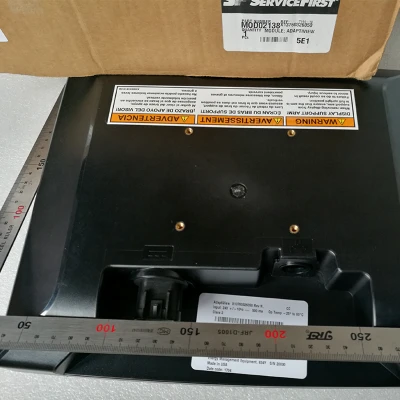
Stationary display screens are used in more permanent settings. They're commonly found in offices for video conferencing and presentations, in schools for teaching, and in public places for advertising and information dissemination. For instance, a Carrier 00PSG000072400 Display Module is often used in industrial control systems where a stationary and reliable display is required. A Trane UC800 Screen MOD02138 can be installed in HVAC systems, providing a clear and stationary display of system status. And the Trane Display Screen is suitable for various stationary applications in commercial buildings.
Cost
In general, portable display screens are more affordable than stationary ones. This is because they're smaller, have fewer features, and are made with less expensive materials. However, if you're looking for a high - end portable screen with advanced features like high - resolution displays and long - lasting batteries, the price can go up significantly.
Stationary display screens tend to be more expensive. They require more powerful components, larger displays, and often come with additional features like touch - screen functionality. The cost of installation and maintenance also adds to the overall expense.
Resolution and Image Quality
Portable display screens have come a long way in terms of resolution and image quality. Many of them now offer high - definition displays, which are great for watching videos and viewing photos. However, due to their smaller size and lower power consumption, they may not be able to achieve the same level of image quality as stationary screens.
Stationary display screens, especially the large - scale ones, are known for their excellent image quality. They can support high - resolution displays, such as 4K and even 8K, which provide sharp and detailed images. This is crucial for applications like video production, graphic design, and digital signage.
Refresh Rate
The refresh rate of a display screen refers to how many times per second the screen updates the image. Portable display screens usually have a lower refresh rate compared to stationary ones. This is because they're designed to conserve battery power. A lower refresh rate can sometimes result in a slightly less smooth image, especially when there's a lot of motion on the screen.
Stationary display screens can have much higher refresh rates. This is important for applications like gaming and video editing, where a smooth and fluid image is essential. A high refresh rate can also reduce eye strain when you're looking at the screen for long periods.
So, there you have it - the main differences between portable and stationary display screens. As a display screen supplier, I can help you choose the right screen for your needs. Whether you're looking for a portable screen for your on - the - go business needs or a stationary screen for your office or public space, I've got you covered. If you're interested in learning more or making a purchase, feel free to reach out and start a conversation. We can discuss your requirements in detail and find the perfect display screen solution for you.
References
- Display Screen Technology: An Overview, Industry Research Report
- Portable vs. Stationary Displays: A Comparative Analysis, Journal of Electronic Displays


