


Hey there! As a display screen supplier, I've seen and worked with all sorts of display screens over the years. In this blog, I'm gonna break down the different types of display screens out there, so you can make an informed decision when it comes to your next purchase.
LCD (Liquid Crystal Display) Screens
LCD screens are probably the most common type of display screen you'll come across. They're used in everything from TVs and computer monitors to smartphones and tablets. The way LCD screens work is by using liquid crystals that can be electrically controlled to either block or allow light to pass through. This creates the images and colors you see on the screen.
One of the big advantages of LCD screens is their energy efficiency. They use less power compared to some other types of display screens, which is great for both your electricity bill and the environment. They also tend to be relatively affordable, making them a popular choice for budget - conscious consumers.
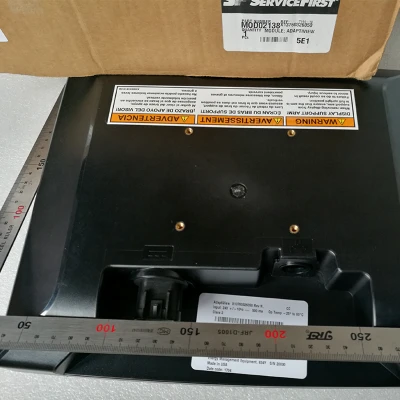

However, LCD screens do have some drawbacks. Their viewing angles can be limited. If you look at an LCD screen from the side, the colors and contrast can start to look off. And in some cases, the black levels on LCD screens aren't as deep as you might like, which can affect the overall picture quality, especially when watching movies or playing games with dark scenes.
If you're interested in a high - quality LCD display, you might want to check out the Carrier Display Screen. It offers good performance at a reasonable price.
LED (Light - Emitting Diode) Screens
LED screens are actually a type of LCD screen, but they use LED backlighting instead of the traditional cold cathode fluorescent lamps (CCFLs) used in regular LCDs. LED backlighting provides several benefits.
Firstly, LED screens are even more energy - efficient than regular LCD screens. The LEDs use less power to produce the same amount of light, which means lower energy consumption and longer battery life for devices like laptops and tablets.
Secondly, LED screens generally have better contrast ratios and deeper black levels. This is because LEDs can be dimmed or turned off completely in areas of the screen that are supposed to be black, resulting in a more vivid and dynamic picture.
LED screens come in two main types: edge - lit and direct - lit. Edge - lit LED screens have LEDs placed around the edges of the screen, which bounce light across the display. They're thinner and lighter, making them a good choice for ultra - thin TVs and monitors. Direct - lit LED screens have LEDs placed behind the entire screen, which can provide more uniform backlighting and better overall picture quality, but they're usually a bit thicker.
The Carrier 00PSG000072400 Display Module is an example of a high - quality LED display module that offers great performance.
OLED (Organic Light - Emitting Diode) Screens
OLED screens are a newer technology compared to LCD and LED. Instead of using a backlight, each pixel in an OLED screen emits its own light. This has some huge advantages.
One of the most significant benefits of OLED screens is their perfect black levels. Since each pixel can be turned off completely, areas of the screen that are supposed to be black are truly black, resulting in an incredibly high contrast ratio. This makes OLED screens ideal for watching movies, playing games, or viewing photos, as the colors and details really pop.
OLED screens also have wide viewing angles. You can look at an OLED screen from almost any angle without the colors or contrast changing much. And they have a faster response time, which means there's less motion blur when watching fast - moving content like sports or action movies.
However, OLED screens do have some challenges. They're more expensive to produce, which means they usually come with a higher price tag. And over time, the organic materials in OLED screens can degrade, especially if they're used to display static images for long periods. This can lead to a phenomenon called "burn - in," where a faint image of the static content remains on the screen even when you're displaying something else.
Plasma Screens
Plasma screens were once very popular for large - screen TVs, but they've become less common in recent years. Plasma screens work by using small pockets of gas between two glass panels. When an electric current is applied, the gas turns into plasma and emits ultraviolet light, which then causes phosphors on the screen to glow and create the images.
Plasma screens are known for their excellent black levels and wide viewing angles. They can produce very rich and vibrant colors, making them great for watching movies and sports. And they have a fast response time, so there's less motion blur.
But plasma screens have some downsides. They consume a lot of power, which can lead to high electricity bills. They also generate a fair amount of heat, so they need good ventilation. And over time, the phosphors in plasma screens can lose their brightness and color accuracy.
Touch - Screen Displays
Touch - screen displays are everywhere these days, from smartphones and tablets to ATMs and kiosks. They allow users to interact directly with the screen by touching it with their fingers or a stylus.
There are several types of touch - screen technologies. Resistive touch screens are one of the oldest and most common types. They consist of two layers of conductive material separated by a small gap. When you press on the screen, the two layers touch each other, and the device can detect the location of the touch. Resistive touch screens are relatively cheap and can be operated with a finger or a stylus, but they're not as accurate as some other types.
Capacitive touch screens are more popular in modern devices. They work by detecting changes in the electrical charge on the screen when you touch it with your finger. Capacitive touch screens are more accurate, have a better response time, and can support multi - touch gestures like pinching and zooming. However, they usually require a bare finger to work, as they rely on the electrical conductivity of the human body.
If you're in the market for a touch - screen display, you might want to consider the Trane UC800 Screen MOD02138, which offers reliable touch - screen functionality.
E - Ink Displays
E - Ink displays are mainly used in e - readers like the Amazon Kindle. They work by using tiny microcapsules filled with positively - charged white particles and negatively - charged black particles. When an electric field is applied, the particles move to the top of the microcapsule, creating either a white or black pixel.
The big advantage of E - Ink displays is their readability in sunlight. Unlike other types of screens, E - Ink displays reflect light like paper, so they're easy to read outdoors without any glare. They also consume very little power, as they only use energy when the screen changes. This means you can read for weeks on a single battery charge.
However, E - Ink displays have a slow refresh rate. They're not suitable for watching videos or playing games, as the images can't change quickly enough. And the color options on E - Ink displays are limited, although there are some color E - Ink displays starting to become available.
So, there you have it! Those are the main types of display screens out there. Each type has its own pros and cons, and the right choice for you depends on your specific needs and budget. Whether you're looking for a high - end OLED TV for your home theater or a reliable touch - screen display for your business, we've got you covered.
If you're interested in purchasing any of these display screens or have any questions about which type is right for you, don't hesitate to reach out. We're here to help you make the best decision for your situation and get you the perfect display screen for your needs.
References
- Various industry reports on display screen technologies
- Manufacturer specifications for Carrier, Trane, and other display screen products


