


In the modern era of technology, touch screens have become an integral part of our daily lives. From smartphones and tablets to industrial control panels and automotive dashboards, touch screens have revolutionized the way we interact with digital devices. As a touch screen supplier, I have witnessed firsthand the profound impact that touch screens have on user experience. In this blog post, I will explore how touch screens affect user experience and why they are a crucial component in today's digital world.
Enhanced Interaction and Usability
One of the most significant advantages of touch screens is their ability to provide a more intuitive and natural way of interacting with digital devices. Unlike traditional input methods such as keyboards and mice, touch screens allow users to directly interact with the content on the screen using their fingers or a stylus. This direct interaction eliminates the need for additional input devices and simplifies the user interface, making it easier for users to navigate and control the device.
For example, on a smartphone, users can simply tap, swipe, pinch, and zoom on the screen to perform various actions such as opening apps, browsing the web, and viewing photos. This tactile interaction mimics the way we interact with physical objects in the real world, making it more intuitive and engaging. Similarly, in industrial applications, touch screens are used to control machinery and equipment, allowing operators to easily adjust settings, monitor processes, and troubleshoot issues. The direct interaction provided by touch screens reduces the learning curve and improves the efficiency of operations.
Improved Accessibility
Touch screens also offer improved accessibility for users with disabilities. For individuals with limited mobility or dexterity, traditional input devices such as keyboards and mice can be difficult to use. Touch screens, on the other hand, provide a more accessible alternative as they can be operated with a simple touch or gesture. For example, users with disabilities can use their fingers or a stylus to interact with the screen, making it easier for them to access information and perform tasks.
In addition, touch screens can be customized to meet the specific needs of users with disabilities. For example, some touch screens support features such as magnification, high contrast mode, and voice guidance, which can enhance the usability of the device for individuals with visual impairments. These accessibility features make touch screens a more inclusive technology, allowing people of all abilities to participate in the digital world.
Increased Engagement and Immersion
Touch screens have the ability to create a more engaging and immersive user experience. By providing a direct and tactile interaction with the content on the screen, touch screens draw users in and make them feel more connected to the digital world. For example, in gaming applications, touch screens allow players to directly interact with the game environment, making the gameplay more immersive and exciting. Similarly, in educational applications, touch screens can be used to create interactive learning experiences, allowing students to actively engage with the content and enhance their understanding.
In addition, touch screens can support multi-touch gestures, which enable users to perform multiple actions simultaneously. This multi-touch functionality adds an extra layer of interactivity and engagement to the user experience. For example, users can use two fingers to zoom in on a map, or use three fingers to rotate an image. The ability to perform complex gestures using multiple fingers makes touch screens more versatile and powerful, allowing users to interact with the content in more creative and intuitive ways.
Design Flexibility
Another advantage of touch screens is their design flexibility. Touch screens can be customized to fit a wide range of form factors and applications, making them suitable for various industries and products. For example, touch screens can be integrated into smartphones, tablets, laptops, monitors, kiosks, and industrial control panels. They can also be designed to have different sizes, shapes, and resolutions, depending on the specific requirements of the application.
In addition, touch screens can support different types of touch technologies, such as resistive, capacitive, and infrared. Each type of touch technology has its own advantages and disadvantages, and the choice of touch technology depends on the specific application and user requirements. For example, resistive touch screens are more affordable and can be operated with a stylus or any object, making them suitable for industrial applications. Capacitive touch screens, on the other hand, are more sensitive and responsive, and can support multi-touch gestures, making them ideal for consumer electronics such as smartphones and tablets.
Considerations for User Experience
While touch screens offer many benefits for user experience, there are also some considerations that need to be taken into account when designing and implementing touch screen interfaces. Here are some key considerations:
Ergonomics
Touch screens should be designed to be ergonomic and comfortable to use. This includes considering factors such as the size and shape of the screen, the placement of buttons and controls, and the angle and orientation of the device. For example, on a smartphone, the screen should be large enough to display content clearly, but not so large that it becomes difficult to hold and operate with one hand. Similarly, on an industrial control panel, the buttons and controls should be placed within easy reach of the operator, and the screen should be tilted at an appropriate angle to reduce glare and ease of viewing.

Visibility
Touch screens should be designed to be visible in different lighting conditions. This includes considering factors such as the brightness, contrast, and color accuracy of the screen. For example, in outdoor environments, the screen should be bright enough to be visible in direct sunlight, while in indoor environments, the screen should have a high contrast ratio to ensure clear visibility. Additionally, the color accuracy of the screen should be calibrated to ensure that the colors are displayed accurately and consistently.
Responsiveness
Touch screens should be responsive and provide immediate feedback to the user's touch. This includes considering factors such as the touch sensitivity, touch latency, and gesture recognition accuracy of the screen. For example, when a user taps on the screen, the device should respond immediately and perform the desired action. Similarly, when a user performs a gesture such as a swipe or a pinch, the device should recognize the gesture accurately and respond accordingly.
Durability
Touch screens should be designed to be durable and withstand the rigors of daily use. This includes considering factors such as the strength and scratch resistance of the screen, the reliability of the touch technology, and the protection against environmental factors such as dust, water, and temperature. For example, in industrial applications, the touch screen should be able to withstand harsh conditions such as vibrations, shocks, and extreme temperatures. Similarly, in consumer electronics, the touch screen should be able to resist scratches and smudges from daily use.
Conclusion
In conclusion, touch screens have had a profound impact on user experience in the digital age. They offer enhanced interaction and usability, improved accessibility, increased engagement and immersion, and design flexibility. However, when designing and implementing touch screen interfaces, it is important to consider factors such as ergonomics, visibility, responsiveness, and durability to ensure a positive user experience.
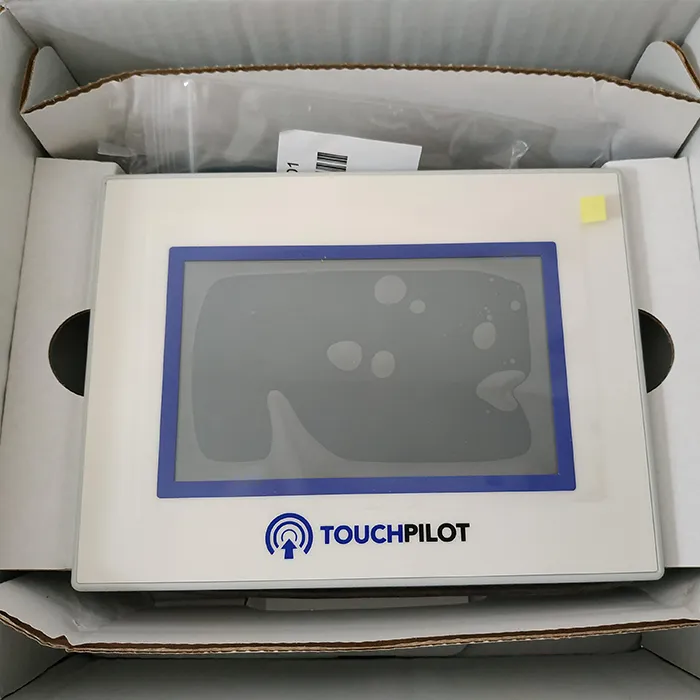
As a touch screen supplier, we are committed to providing high-quality touch screens that meet the specific needs of our customers. We offer a wide range of touch screen products, including Carrier TCarrier Touch Screen Oopsg001652200A, Carrier Touch Screen, and Carrier CEPL131228-01-R-S 4.3 "PIC6 Touch Screen, which are designed to provide a superior user experience. If you are interested in learning more about our touch screen products or would like to discuss your specific requirements, please feel free to contact us for further information and to start a procurement discussion.
References
- Nielsen, J. (1993). Usability Engineering. Morgan Kaufmann Publishers.
- Norman, D. A. (2002). The Design of Everyday Things. Basic Books.
- Shneiderman, B. (1998). Designing the User Interface: Strategies for Effective Human-Computer Interaction. Addison-Wesley.


