


In today's digital age, touch screens have become an integral part of our daily lives, especially on mobile phones. As a touch screen supplier, I have witnessed firsthand the incredible evolution of this technology and its impact on the way we interact with our devices. In this blog post, I will delve into the fascinating world of touch screens and explain how they work on mobile phones.
The Basics of Touch Screens
At its core, a touch screen is a display device that allows users to interact with a computer or mobile device by touching the screen with their fingers or a stylus. This technology has revolutionized the way we use our phones, making them more intuitive and user-friendly. There are several types of touch screens available, but the most common ones used in mobile phones are resistive and capacitive touch screens.
Resistive Touch Screens
Resistive touch screens consist of two flexible layers separated by a small gap. When a user touches the screen, the two layers come into contact at the point of touch, causing a change in electrical resistance. This change is detected by the device's controller, which then calculates the coordinates of the touch and sends the information to the operating system. Resistive touch screens are relatively inexpensive and can be used with a stylus or any object that applies pressure to the screen. However, they are less accurate than capacitive touch screens and may require more pressure to register a touch.

Capacitive Touch Screens
Capacitive touch screens, on the other hand, are the most widely used type of touch screen in mobile phones today. They work by detecting changes in the electrical charge of the human body. The screen is coated with a thin layer of conductive material, usually indium tin oxide (ITO). When a user touches the screen, the electrical charge in the body is transferred to the screen, creating a small electrical field. This change in the electrical field is detected by the device's controller, which then calculates the coordinates of the touch and sends the information to the operating system. Capacitive touch screens are more accurate and responsive than resistive touch screens and can support multi-touch gestures, such as pinching and zooming.
How Capacitive Touch Screens Work on Mobile Phones
Now that we have a basic understanding of how touch screens work, let's take a closer look at how capacitive touch screens work on mobile phones.
The Structure of a Capacitive Touch Screen
A capacitive touch screen consists of several layers, each with a specific function. The top layer is a protective glass or plastic cover that provides a smooth surface for the user to touch. Beneath the cover is a layer of conductive material, usually ITO, which is patterned into a grid of electrodes. These electrodes are connected to a controller, which is responsible for detecting changes in the electrical field caused by a touch.
The Role of the Controller
The controller is the brain of the touch screen. It constantly monitors the electrical field of the screen and detects any changes caused by a touch. When a user touches the screen, the controller measures the change in the electrical field at each electrode and calculates the coordinates of the touch. This information is then sent to the operating system, which interprets the touch and performs the appropriate action, such as opening an app or typing a message.
Multi-Touch Gestures
One of the key features of capacitive touch screens is their ability to support multi-touch gestures. Multi-touch gestures allow users to perform complex actions, such as pinching and zooming, by touching the screen with multiple fingers at the same time. To support multi-touch gestures, the controller must be able to detect and distinguish between multiple touches. This is achieved by using a technique called self-capacitance or mutual capacitance.
- Self-Capacitance: In self-capacitance, each electrode on the touch screen is independently monitored for changes in the electrical field. When a user touches the screen, the electrical field at the point of touch changes, causing a decrease in the capacitance of the electrode. The controller can detect this change and calculate the coordinates of the touch. Self-capacitance is a relatively simple and inexpensive way to implement multi-touch support, but it has some limitations. For example, it may not be able to distinguish between multiple touches that are close together.
- Mutual Capacitance: In mutual capacitance, the electrodes on the touch screen are arranged in a matrix, with each electrode intersecting with several other electrodes. When a user touches the screen, the electrical field at the point of touch changes, causing a decrease in the capacitance between the intersecting electrodes. The controller can detect this change and calculate the coordinates of the touch. Mutual capacitance is more accurate and reliable than self-capacitance and can support more complex multi-touch gestures. However, it is also more expensive and requires more complex circuitry.
The Future of Touch Screen Technology
As technology continues to evolve, so does the future of touch screen technology. Here are some of the trends and developments that we can expect to see in the coming years:
Foldable and Flexible Touch Screens
Foldable and flexible touch screens are one of the most exciting developments in touch screen technology. These screens can be bent, folded, or rolled up, allowing for new form factors and applications. For example, a foldable phone could be used as a traditional smartphone when closed and as a tablet when opened. Flexible touch screens could also be used in wearable devices, such as smartwatches and fitness trackers.
Haptic Feedback
Haptic feedback is a technology that provides tactile feedback to the user when they touch the screen. This can enhance the user experience by making the touch screen feel more like a physical object. For example, when a user taps on a virtual button, the touch screen could vibrate or provide a slight resistance to simulate the feeling of pressing a real button.
Invisible Touch Screens
Invisible touch screens are another emerging trend in touch screen technology. These screens are transparent and can be integrated into other surfaces, such as glass or plastic. This could allow for new applications, such as interactive windows or smart mirrors.
Conclusion
In conclusion, touch screens have revolutionized the way we use our mobile phones. Capacitive touch screens, in particular, have become the standard in the industry due to their accuracy, responsiveness, and support for multi-touch gestures. As a touch screen supplier, I am excited to see the future of touch screen technology and the new applications that it will enable.
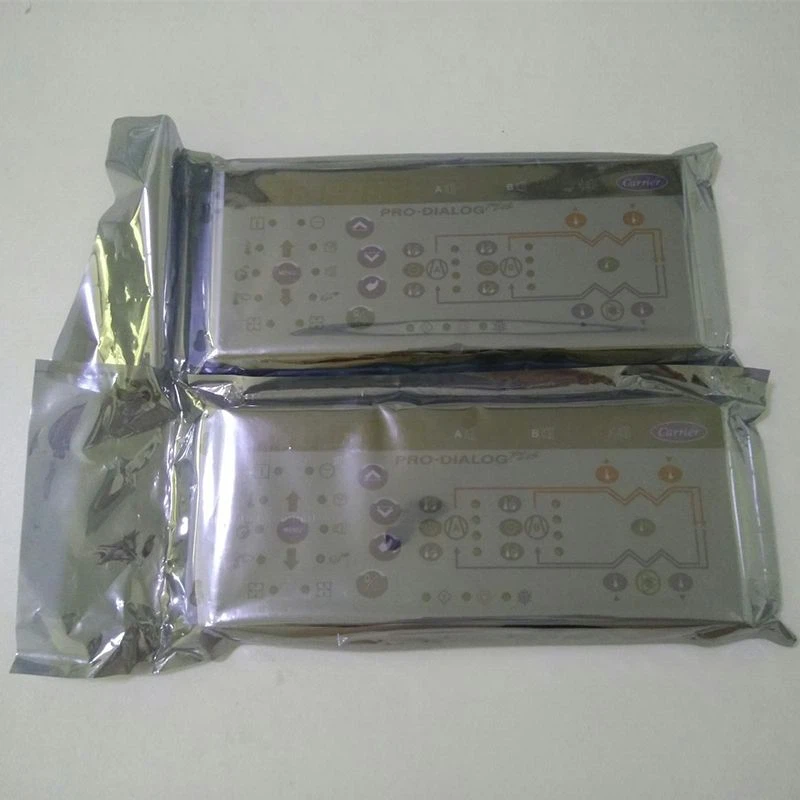
If you are interested in learning more about our touch screen products, such as the Carrier TCarrier Touch Screen Oopsg001652200A, Carrier CEPL131228-01-R-S 4.3 "PIC6 Touch Screen, or other Carrier Touch Screen options, please feel free to contact us to discuss your specific requirements and explore potential partnerships.
References
- Wikipedia. (n.d.). Touchscreen. Retrieved from https://en.wikipedia.org/wiki/Touchscreen
- TechTarget. (n.d.). How capacitive touch screens work. Retrieved from https://searchmobilecomputing.techtarget.com/definition/capacitive-touchscreen
- Android Authority. (n.d.). How do touchscreens work? A look at the technology behind your phone's display. Retrieved from https://www.androidauthority.com/how-do-touchscreens-work-741940/


